
On-page SEO is one of the most important parts of search engine optimization because it directly controls how your content appears and performs on Google.
If you’re wondering what is on page SEO, it simply means optimizing your website content so search engines and users can understand it better.
The good news? On-page SEO is completely in your control — no backlinks or outreach required.
In this beginner-friendly guide, you’ll learn:
- What is on page SEO
- Why on-page SEO matters
- A complete on-page SEO checklist
- Real on-page SEO examples
- Common mistakes beginners should avoid
If you’re new to SEO, read our complete guide on What Is SEO? Simple Explanation for Beginners first.
What Is On Page SEO?
On-page SEO refers to the process of optimizing individual web pages so they rank higher on search engines and attract relevant organic traffic.
According to Moz, a leading SEO authority, on-page SEO focuses on optimizing content and HTML elements to improve visibility in search results.
In simple words:
On page SEO is everything you optimize ON your website to help Google understand your content.
This includes:
- Content optimization
- Keyword usage
- Headings
- Meta tags
- Images
- Internal links
- URL structure
These are the key factors that make your content clear, helpful, and search engine-friendly.
Why Is On Page SEO Important?
On-page SEO is important because it helps Google:
- Understand what your page is about
- Match your page with search intent
- Decide whether your content deserves to rank
Key benefits of on-page SEO:
- Improves keyword rankings
- Increases organic traffic
- Enhances user experience
- Boosts content readability
- Strengthens overall SEO performance
Without proper on-page SEO, even great content may never rank.
Watch this short video to understand how on-page SEO works in real time.
How On-Page SEO Works
Understanding what is on page SEO helps beginners apply these steps correctly and avoid common optimization mistakes.
When you optimize a page correctly:
- Google crawls your content
- Understands your topic and keywords
- Evaluates content quality and structure
- Ranks your page accordingly
When you publish a blog post with clear headings, optimized images, and relevant keywords, Google can quickly crawl and understand your page. This makes it easier to index and rank your content for the right search queries.
On Page SEO Checklist (Step-by-Step)
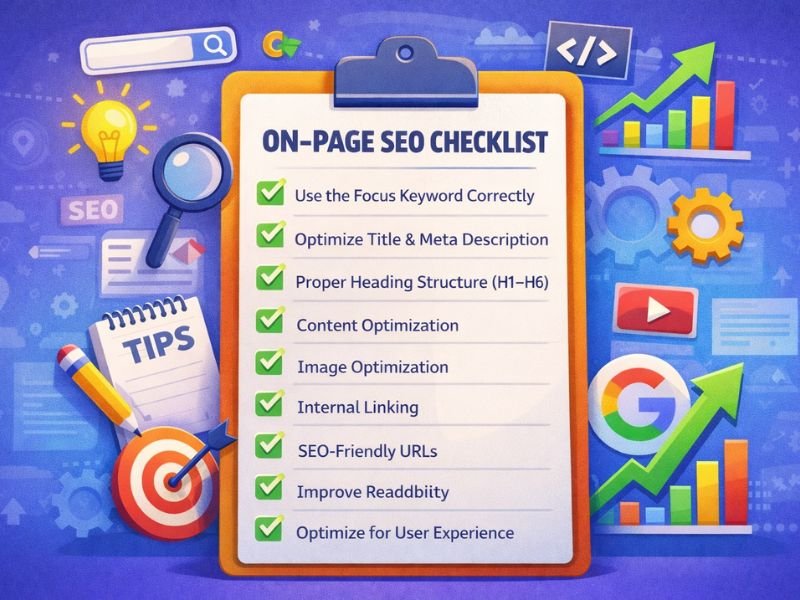
Here’s a simple on-page SEO checklist you can follow for every blog post.
Use the Focus Keyword Correctly
Your main keyword (example: what is on page seo) should appear:
- In the SEO title
- In the H1 heading
- In the first 100 words
- In at least one subheading
- Naturally, throughout the content
Note: Avoid keyword stuffing.
Optimize Title Tag & Meta Description
- Title length: under 60 characters
- Include a power word or number
- Meta description: 150–160 characters, compelling and clear
Proper Heading Structure (H1–H6)
Use headings to organize your content:
- One H1 only
- Logical H2 and H3 subheadings
- Include related keywords naturally
Content Optimization
High-quality content is the backbone of on-page SEO.
Make sure your content is:
- Original
- Helpful
- Easy to read
- Answer-focused
- Updated for 2026 standards
Image Optimization
For every image:
- Use descriptive file names
- Add SEO-friendly alt text
- Compress images for fast loading
Internal Linking
Internal links help search engines discover related content.
Example:
- Link to What Is SEO pillar post
- Link to future articles, like keyword research or technical SEO
SEO-Friendly URLs
Good URL example:yourwebsite.com/what-is-on-page-seo
Avoid long, messy URLs.
Improve Readability
- Short paragraphs
- Bullet points
- Simple language
- Clear flow
Readability is a ranking factor.
Optimize for User Experience
Google prioritizes pages that:
- Load fast
- Work on mobile
- Easy to navigate
Example of On-Page SEO
Let’s say your blog title is:
“Best On-Page SEO Tips for Beginners”
If you:
- Optimize the title
- Use headings properly
- Add internal links
- Optimize images
- Write helpful content
Google may rank your page — even without backlinks. That’s the real power of on-page SEO.
On-Page SEO vs Off-Page SEO
| On-Page SEO | Off-Page SEO |
|---|---|
| Content optimization | Backlinks |
| Keywords | Brand mentions |
| Meta tags | Guest posting |
| Internal links | Social signals |
Both are important, but on-page SEO comes first.
Common On-Page SEO Mistakes
Avoid these beginner mistakes:
- Keyword stuffing
- Duplicate content
- Missing meta descriptions
- Poor internal linking
- Ignoring mobile optimization
On Page SEO for Beginners: Quick Tips
Add 5–6 short bullets like:
- Focus on one main keyword per page
- Write for humans first, Google second
- Keep content updated
- Avoid over-optimization
This is easy content that Google loves.
FAQs About On Page SEO
What is on page SEO in simple words?
On-page SEO means optimizing your website content to help it rank better on Google.
Is on-page SEO enough to rank?
For low-competition keywords, yes. For competitive terms, off-page SEO is also needed.
How long does on-page SEO take to work?
Results usually appear within 2–8 weeks, depending on the competition.
Is on-page SEO good for beginners?
Absolutely. It’s the best place to start learning SEO.
Final Thoughts
Understanding what is on page SEO and how it works is essential if you want your website to rank and grow organically.
When you master:
- Keyword usage
- Content structure
- Internal linking
- User experience
You build a strong SEO foundation.
Next, you should learn Technical SEO and Off-Page SEO to scale your rankings.